Use cases

FOR TIKTOK SHOP SELLERS

Turn your TikTok Shop products into new video angles.

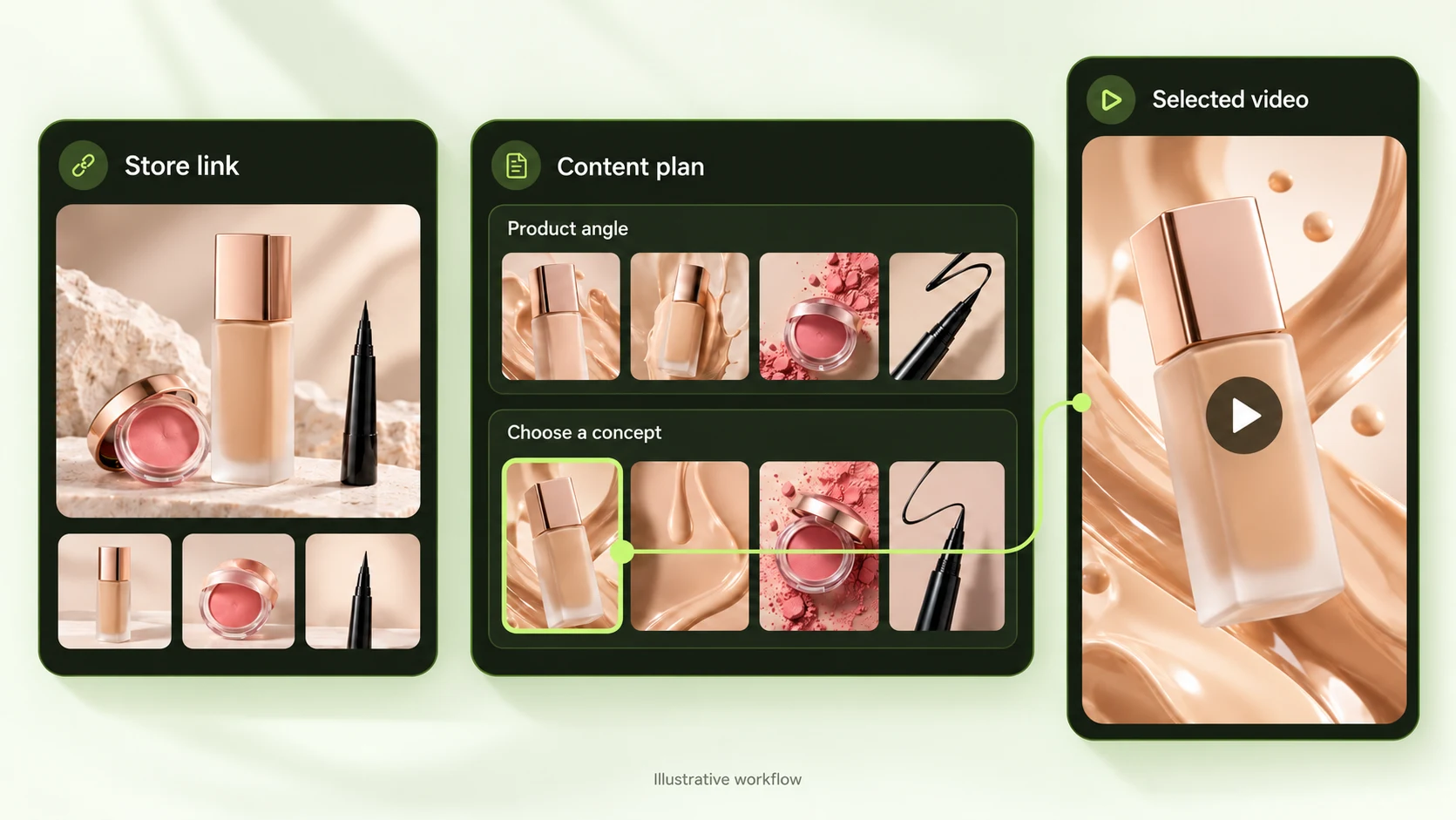
Start with the product, then decide how to catch attention and make its benefit clear. Paste your public store homepage link, review a month of TikTok Shop video concepts in Snaptale’s content planner, and generate the angles you choose.

A useful opening. A clear product story. A next step for the viewer.

I already have a product photo and an idea →
Beauty products move from a store link to content angles and a selected video
Illustrative workflow · Anonymized product examples

TIKTOK SHOP CONTENT

Plan for the scroll, the explanation and the shopping decision.

TikTok Shop content has to introduce a product while someone is browsing the feed. Give each concept a focused opening, a useful explanation and a clear next step.

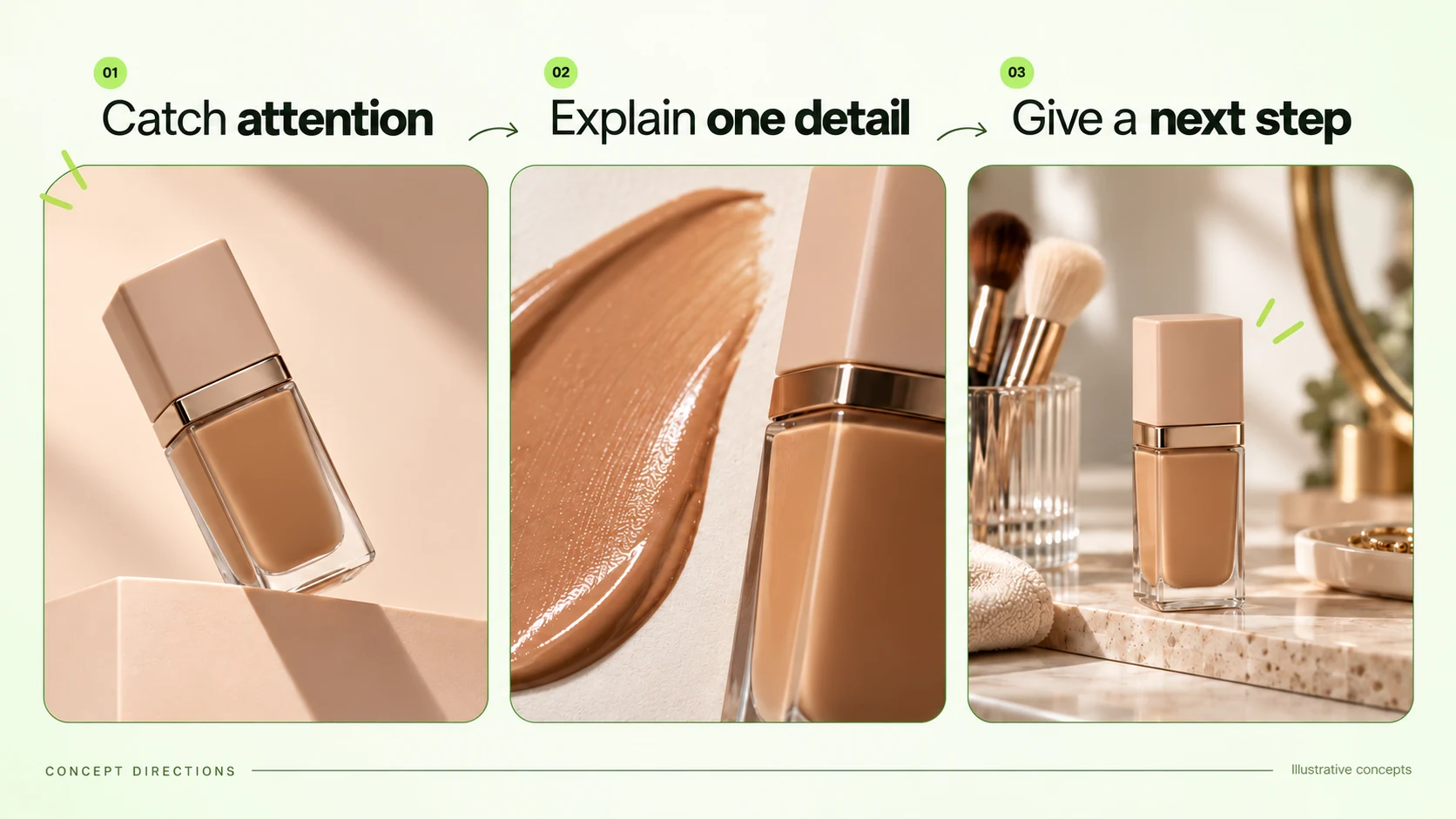
Three beauty video angles: catch attention, explain one detail and give a next step
01

Give the opening a product angle

Start with something specific: the texture of a foundation, the finish of a blush or where a product fits in a daily routine. Refine the proposed topic before generating so the hook leads into the product story instead of becoming a disconnected attention grab.

02

Let the product carry the explanation

Use a compatible product-focused or creator-style format to explain the feature or use case. Keep the item recognizable and the message concrete. Review generated actions against the real product; use real footage when you need to prove performance.

03

Plan another reason to talk about the same item

An introduction, a feature explanation and a use-case story do different jobs. Review those angles across the weekly plan and choose which ones to make. You decide what to post and which finished clips to use as ad creatives.

From your store link to the next TikTok Shop video.

One product. A fresh angle for the next video.

  1. 01

    Find the product detail worth showing

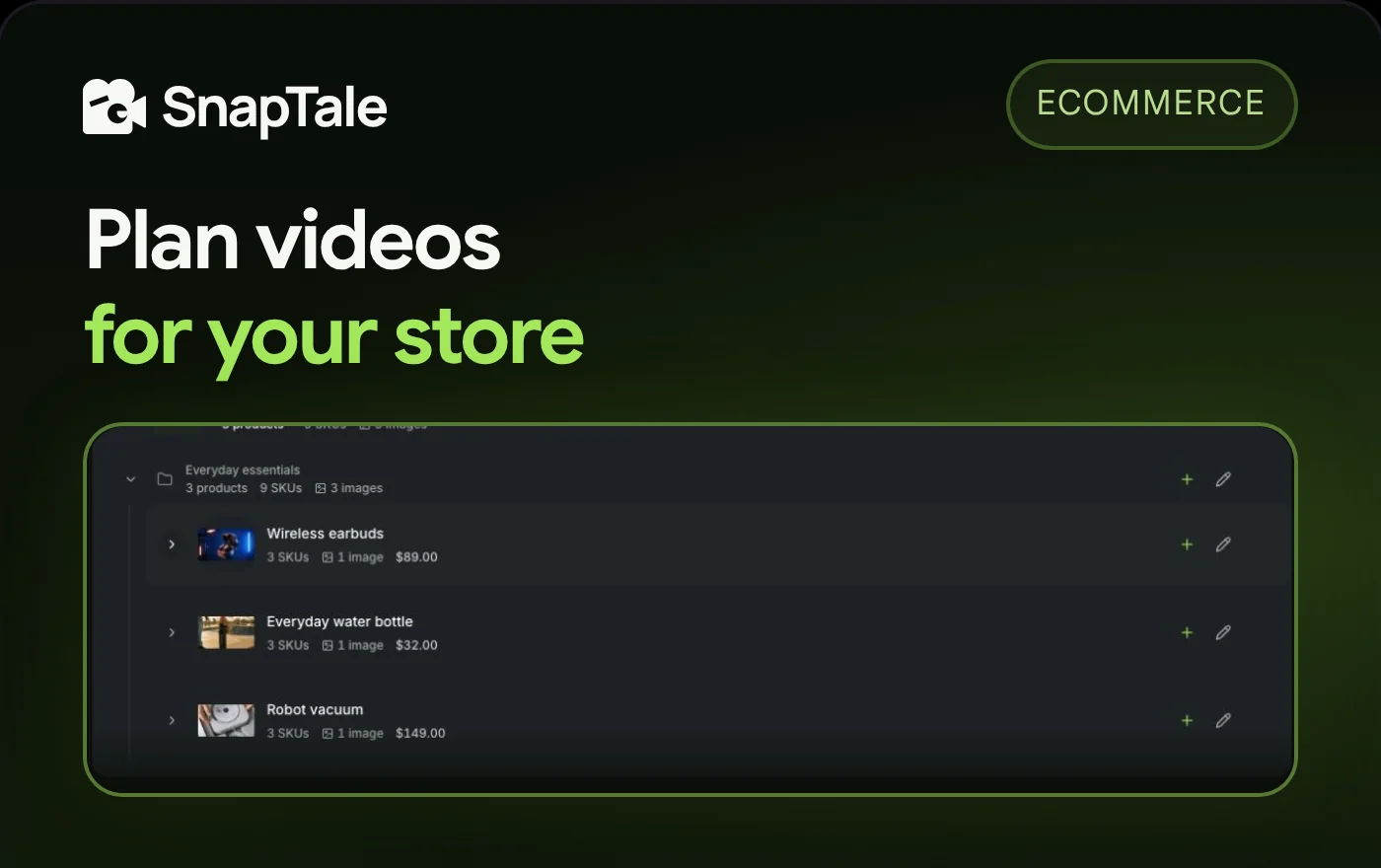
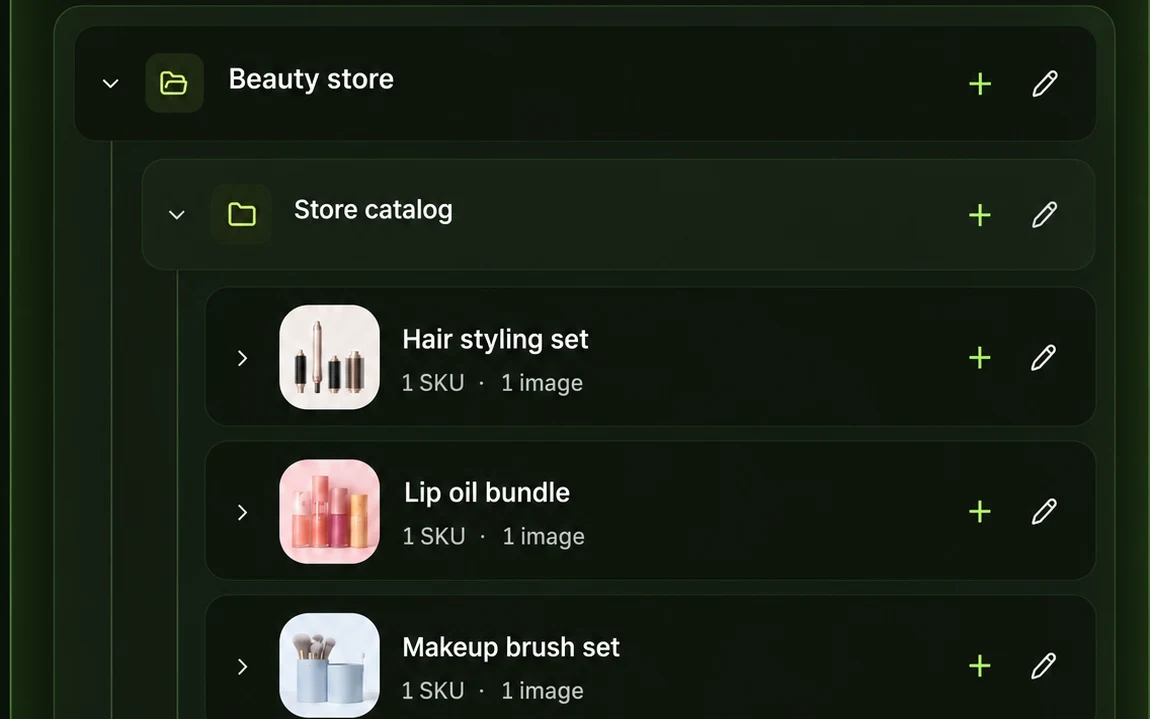
    Paste your public store homepage and review the imported products, images and descriptions. Confirm the appearance, intended use and details you can demonstrate, so the plan starts with accurate product information.

    TikTok Shop example products imported into the Snaptale library
    Product UI adaptation · Anonymized example
  2. 02

    Plan different angles for the same product

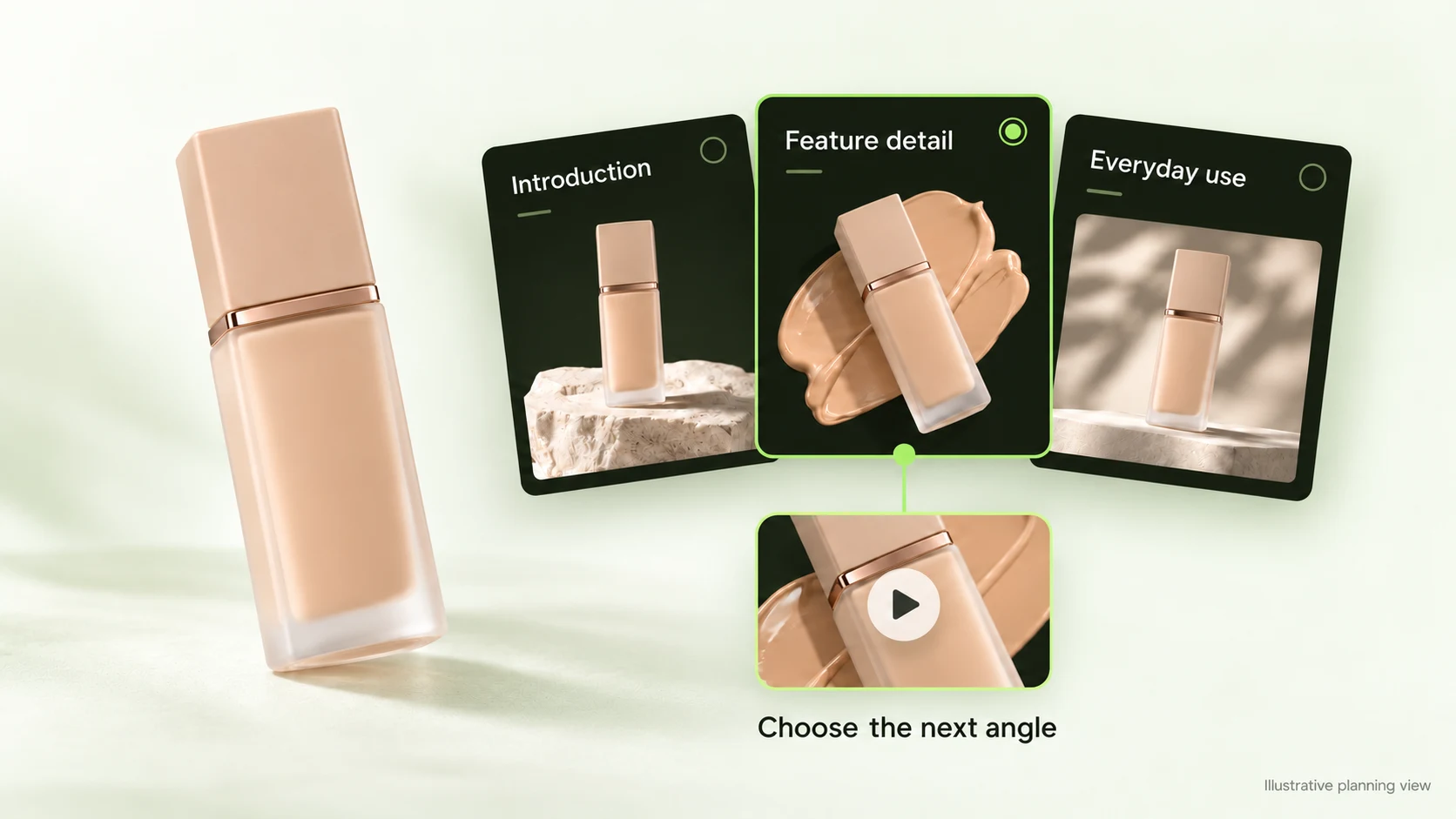
    Review topics and formats in your Playbook: introduce the item, explain one detail or place it in an everyday situation. Choose the next angle to develop so each video gives viewers a different reason to pay attention.

    One foundation product with introduction, feature detail and everyday-use video angles
    Illustrative concept directions · Anonymized examples
  3. 03

    Make the next video for your feed

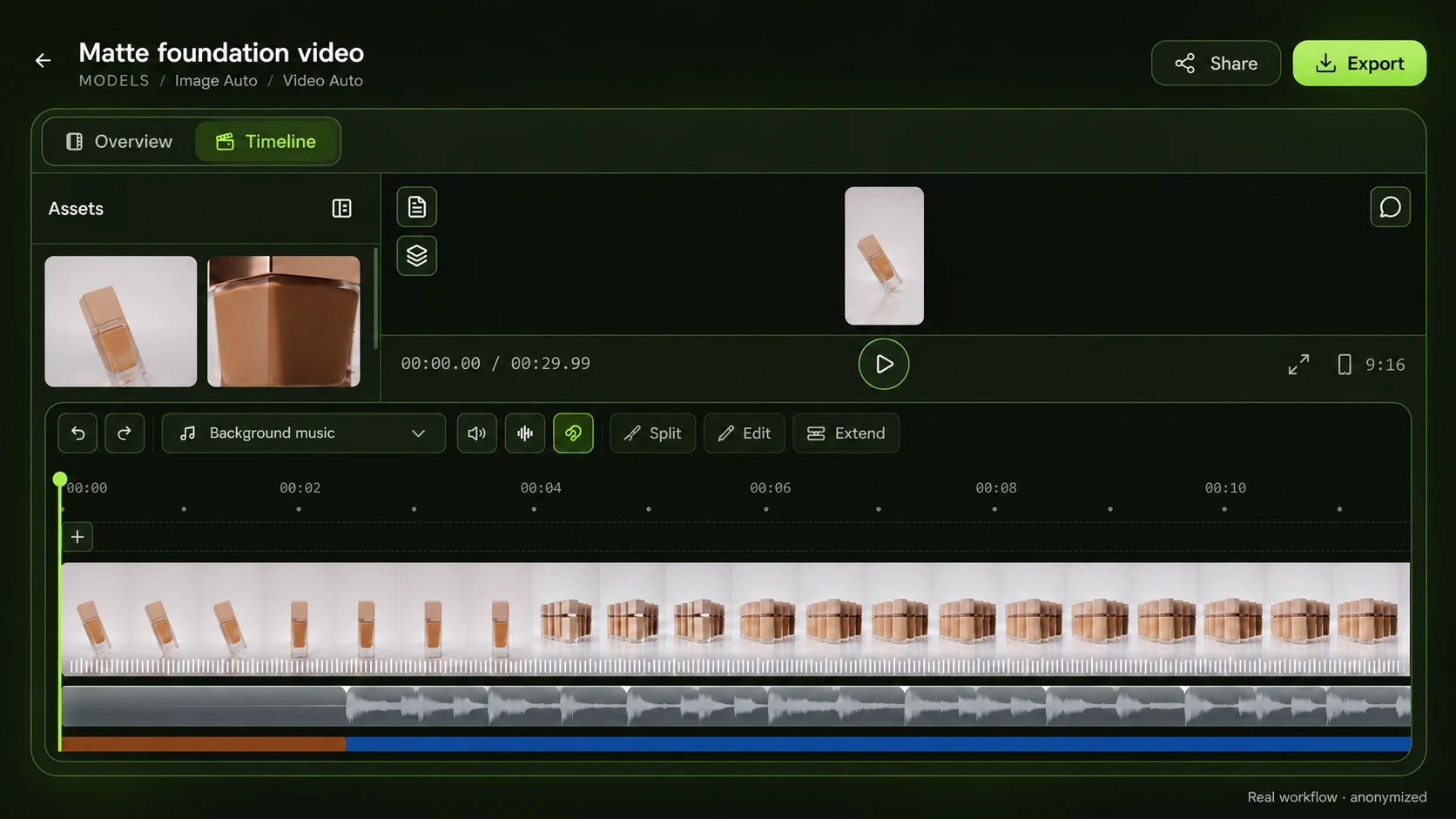
    Generate a selected concept and review its opening, product demonstration and captions. Refine the edit and export the finished video, then use your own TikTok Shop workflow to publish and link the relevant product.

    An anonymized TikTok Shop product video in the Snaptale timeline editor
    Product UI adaptation · Anonymized example

FROM STORE LINK TO VIDEO

One product can have several stories worth making.

Choose the next product angle

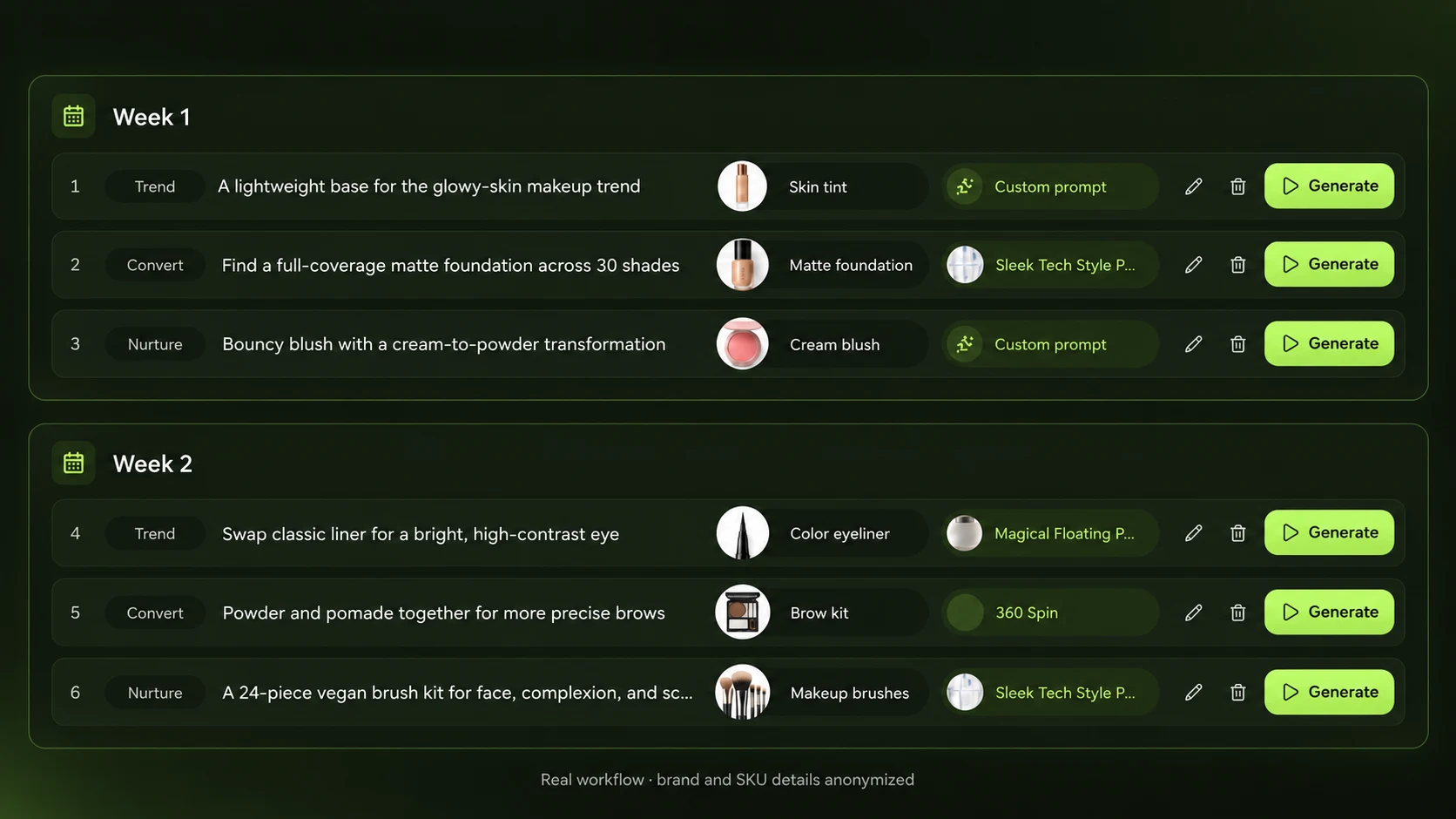
Your Playbook connects a month of proposed videos to products, topics, formats and goals. Use the weekly view to choose the next angle, then take that concept into production.

Weekly TikTok Shop product concepts and individual Generate buttons in Snaptale Playbook
Product UI adaptation · Anonymized example

Start with the products you sell

Review the imported library once, then use that context to assess ideas across several products. Correct missing details or references before generating a concept.

Work through selected concepts

Choose the videos you need first and generate them individually. Open an existing project from its Playbook row to continue editing, or add another concept when you want a different angle.

Why Snaptale

Less blank-page thinking

Start from store context and proposed product topics instead of writing a new brief for every post.

More room for a useful angle

Review the topic, format, goal and reason before deciding whether the idea belongs in your TikTok Shop content.

A plan connected to making

Take the chosen concept into its video project, review the result and export it for your own publishing workflow.

Frequently asked questions

Is this an AI video generator for TikTok Shop sellers?

Snaptale helps sellers plan and create product videos, including compatible AI-generated creator-style formats. Start with product context, review the ideas and generate the pieces you choose.

Can I paste a TikTok profile or an individual video link?

Use a public store homepage for the store workflow, rather than a personal profile or a video URL. Review the products and information imported before continuing.

Can Snaptale help with TikTok Shop content ideas?

Snaptale’s content planner uses your reviewed store information to propose product video topics, compatible formats and goals. Review the plan by week, refine the ideas and choose which videos to generate. Publishing stays in your own TikTok Shop workflow.

Do I need to film myself?

You can use AI-generated creator-style formats without arranging a new shoot. Check the chosen recipe for any product or presenter references it needs.

Will Snaptale publish the video or attach a product link?

Export your finished video and handle publishing, product links and account settings through your own platform workflow.

Are these real customer testimonials?

No. Creator-style videos are AI-generated content. Keep statements factual and avoid inventing customer experiences.

Does creating a video guarantee it can be used on TikTok Shop?

No. Use the product demonstration guidance to inform your content, then review the finished video and the current requirements for your intended placement. Snaptale does not check or approve TikTok Shop compliance for you. Generated scenes should not be used as proof of product performance.

Can I generate TikTok Shop videos for several products?

Use the content planner to review concepts across the imported products, then generate the videos you choose one at a time. Each concept has its own direction and project; this is not a one-click render of the entire catalog.

What is your next TikTok Shop product story?

Bring your store context, choose a product angle and make the next video worth sharing.

Start with my store link

Keep reading