AI Video Ads
Turn what you sell into a product ad.
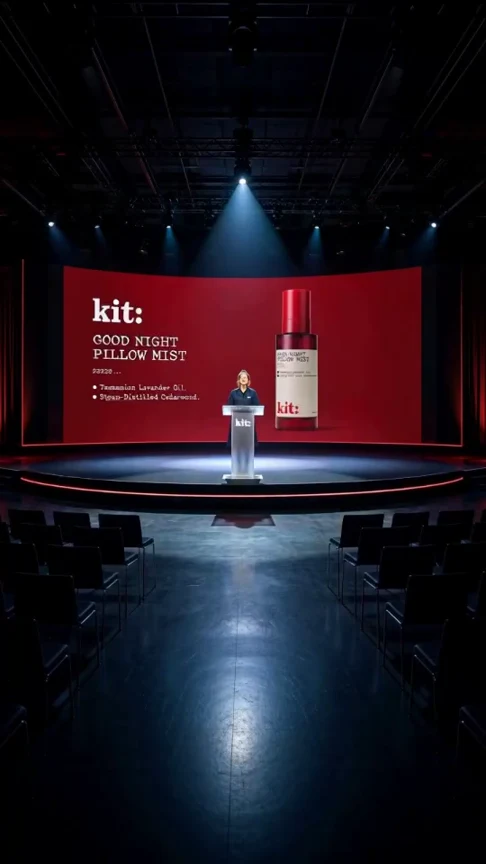
Keynote Product Launch
Introduce a product with an on-stage reveal.
Made for sellers with more SKUs than footage.
Snaptale reads your store, suggests a month of product video ideas, and lets you review each idea before turning it into a video.
Browse product recipes ›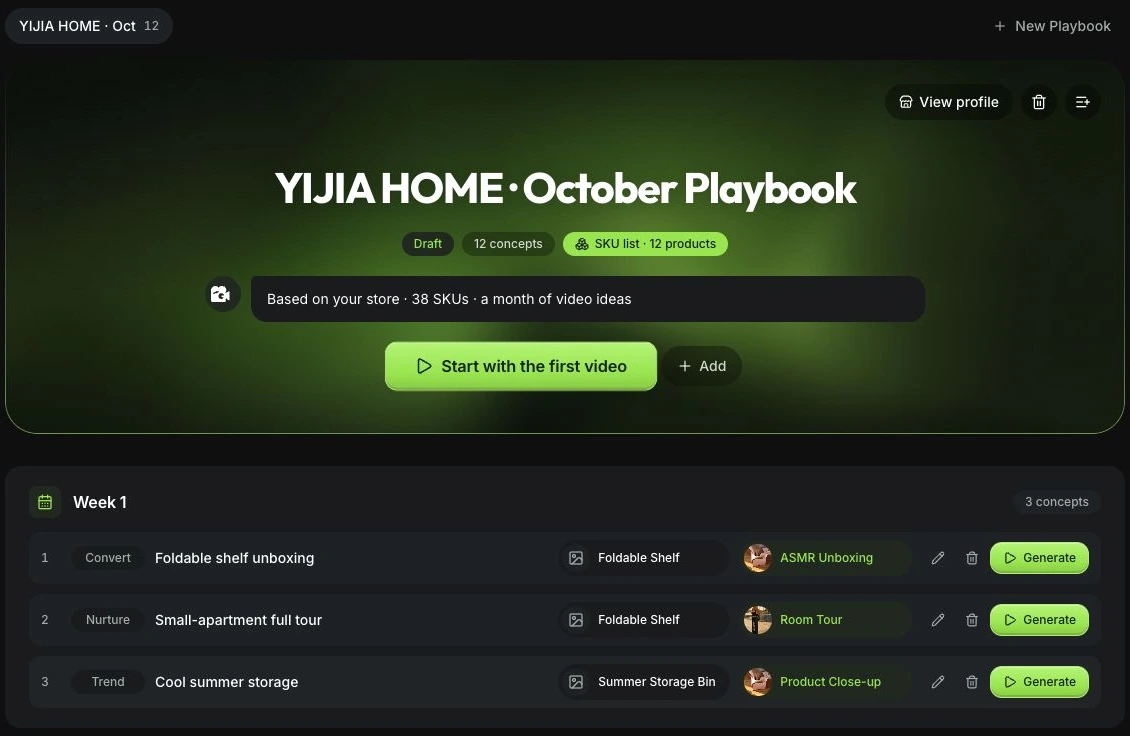
Start with your store. Review the plan. Make the videos you choose.
Paste your store link in Planning. Snaptale reads the available business and product information, then shows you a profile to review. Correct the details before continuing, so the plan starts from the business you actually run.

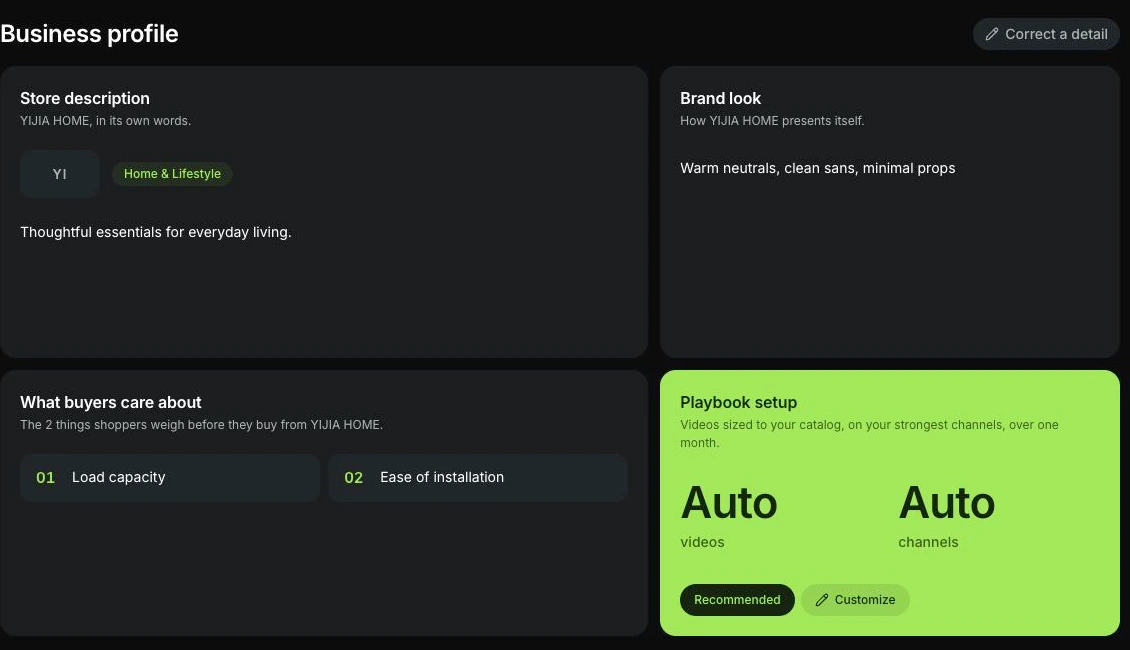
Names, prices, images and variants become a shared product library you can reuse across plans. Review what the store import found, retry an incomplete import, or add and edit a product yourself. Available products depend on the source site and your plan; choose from your library when swapping a video's product.
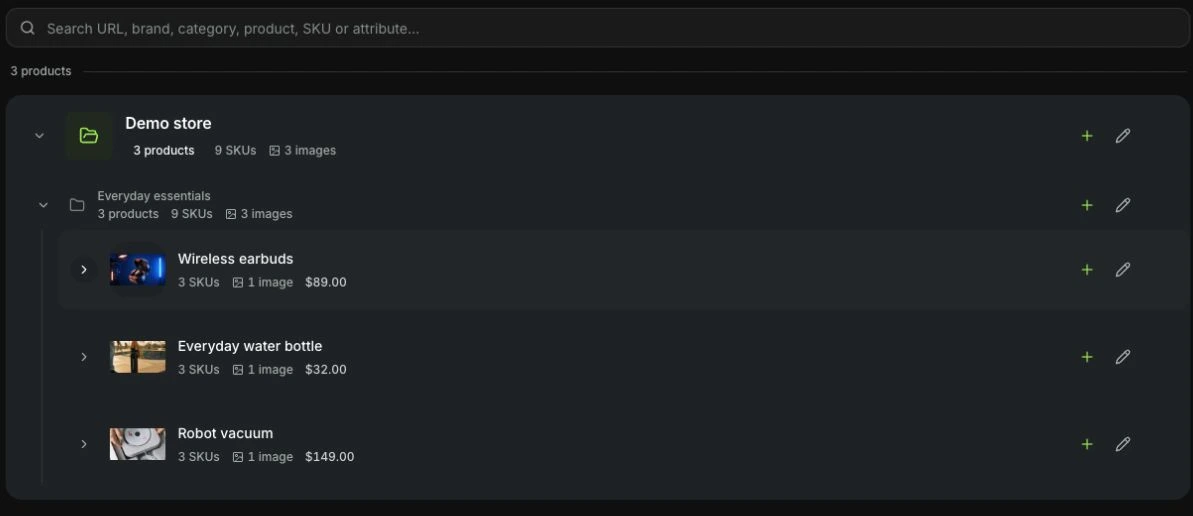
A Playbook groups video ideas by week. Each idea brings together the product, a recipe or custom scene plan, and a reason for choosing it. Review the mix of conversion, nurture and trend ideas, then adjust the topics and products to fit what you want to promote. The weeks organise your plan, not automatic posting.
Edit a topic, swap its product, remove an idea or add your own. When an idea is ready, choose Generate to open its video project. You stay in control of which ideas move into production; planning does not spend credits on a whole month of videos automatically.
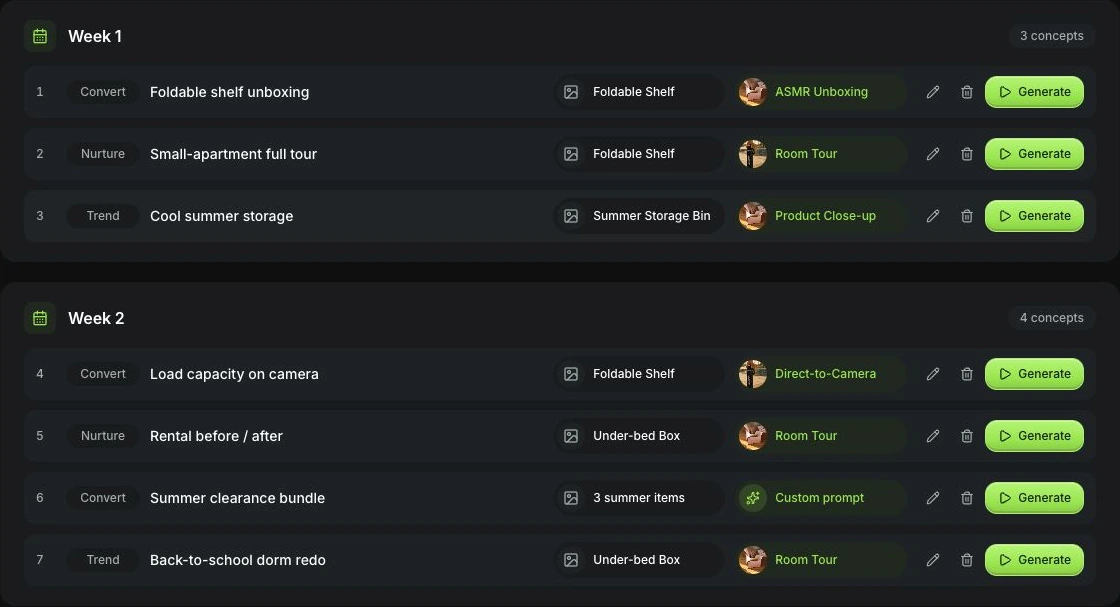
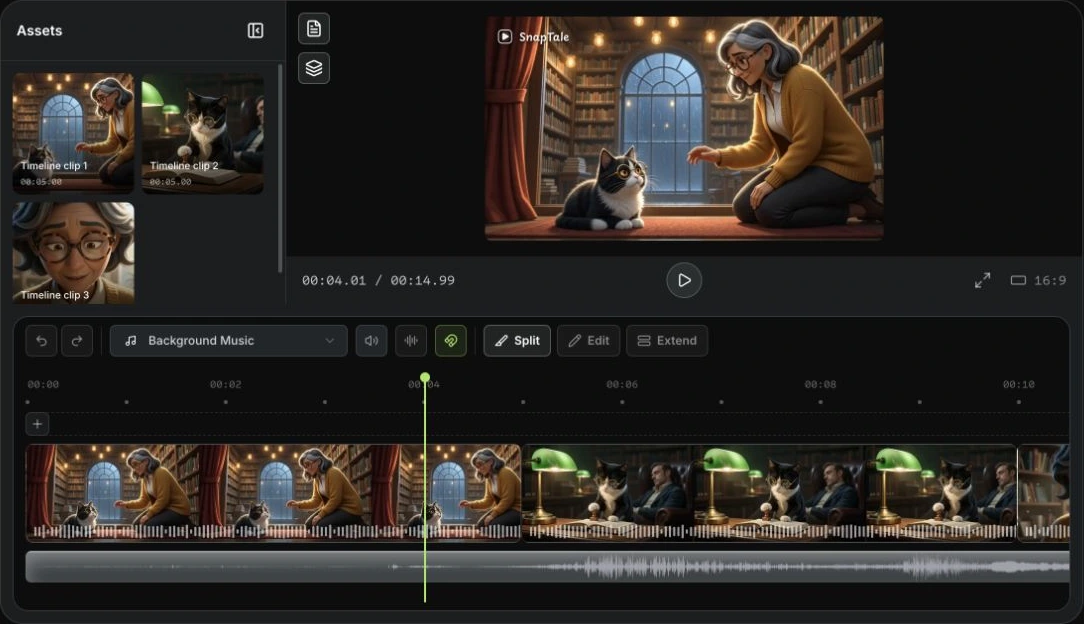
Continue from the selected idea into its video project, review the script and visual direction, and generate the video. Return to the Playbook and use Open to revisit that project. Finish and review the result before sharing; generation uses credits and the output depends on the chosen recipe and model.
Your products, organised into ideas you can review. A plan to work from, with a separate decision to make each video.
03 · Recipes
Browse example formats, check each recipe's inputs, and choose a starting point for your video.
Turn what you sell into a product ad.
Introduce a product with an on-stage reveal.
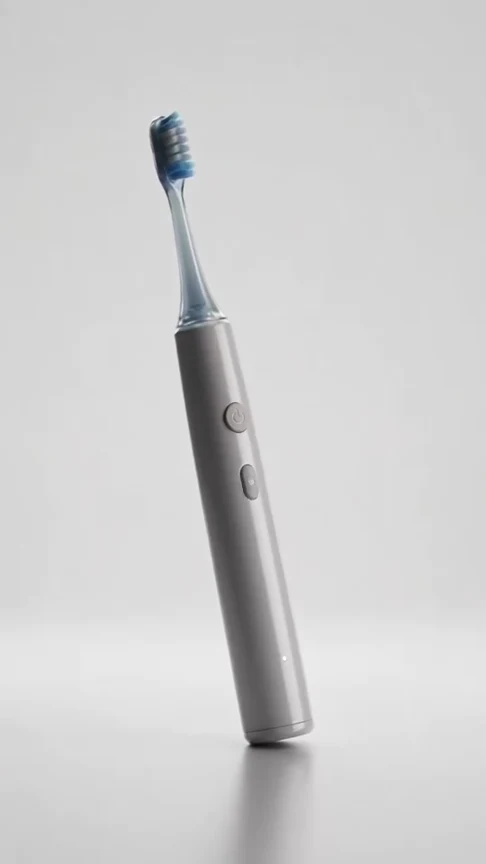
Your product on screen — close-ups, unboxings, proof. Nobody on camera.
Show the product through studio shots and close-up details.
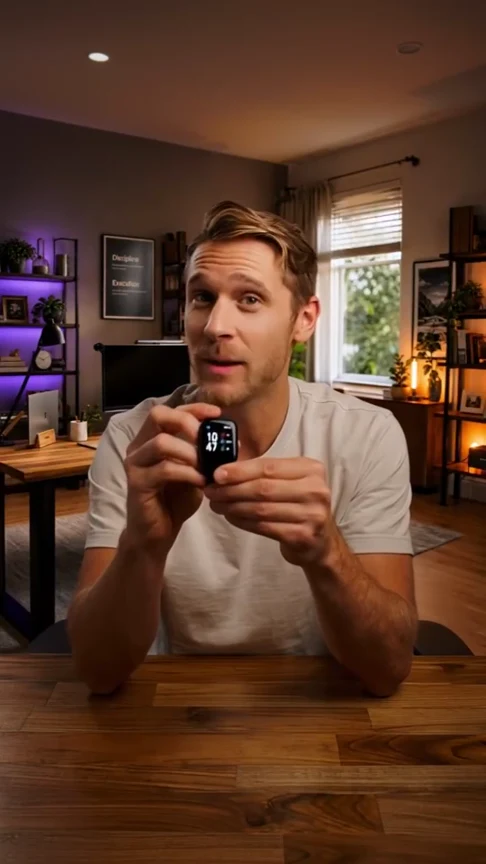
Handheld and unpolished. Doesn't read like an ad.
Hold the product and explain its key features to viewers.
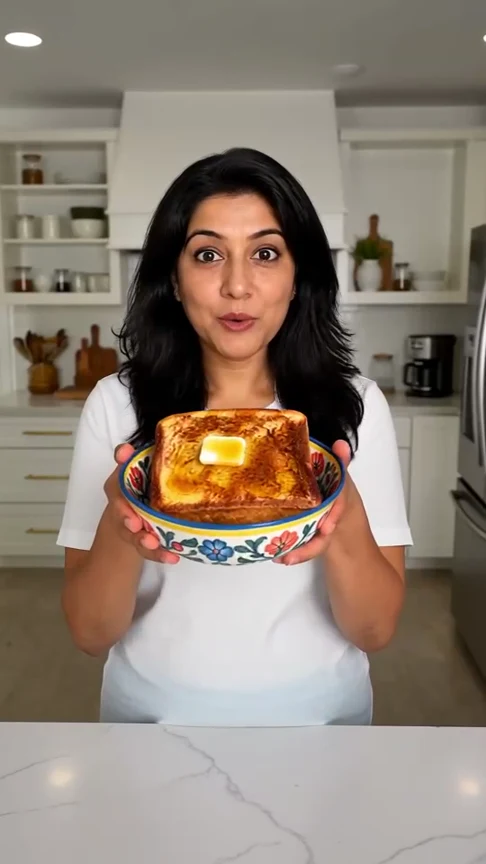
Choose a presenter-led format and supply the references it needs.
Let a presenter demonstrate food in a kitchen setting.
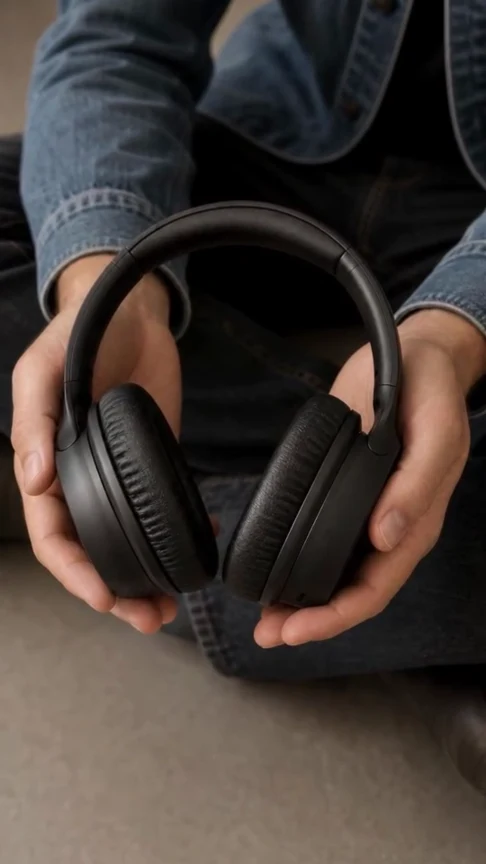
Walk people through it — explain it, tour it, show what's behind it.
Show how the product works through a hands-on demonstration.
Review the suggested mix and choose different formats where they suit your products. The plan is a starting point, not a fixed posting schedule.
04 · Use cases
Short example clips, not complete monthly plans. Use these formats as inspiration for the ideas you review in Planning.
Storage sells on one thing: it holds more than you'd think. So the month leans on formats that prove it instead of claiming it — a hidden use nobody spotted, yours beside the one that buckled, a close-up on the hinge that doesn't.
Start with: Secret Hack, Side-by-Side, Product Showcase.
Texture and the moment of application do the selling here, and neither survives a still image. Try-on shows the result, ASMR unboxing sells the ritual, and a straight-to-camera line handles the claim you can't show.
Start with: Try-On, ASMR Unboxing, Direct-to-Camera.
Buyers won't trust a spec sheet until they've seen the build. Unboxing does the first job, a durability test does the second, and a detail showcase closes the gap between "looks cheap online" and what actually arrives.
Start with: ASMR Unboxing, Crush Test, Product Showcase.
Clothes have to be seen on a body, at speed, and a new colourway shouldn't mean a new shoot. Try-on carries the fit, a transformation carries the scroll, and a showcase carries the fabric.
Start with: Try-On, OOTD Transformation, Product Showcase.
Sound does more work than picture in this category. The pour, the crack of the seal, the first bite — the month is built around what people can almost taste.
Start with: ASMR Unboxing, Slow-Mo Pour, Direct-to-Camera.
The product has to be seen surviving something. Put it under load, put it in the weather, put it next to the one that gave out — then show it in the scene it was bought for.
Start with: Crush Test, In-Scene, Side-by-Side.
05 · Why choose us
Start with suggested product ideas instead of a blank spreadsheet. Each Playbook idea includes a reason to consider it, so you can decide what fits your store before investing in production.
Import available names, prices, images and variants from your store, then review them in one shared library. Choose the product and reference image for each idea without starting the catalogue from scratch every time.
Start from product photos you already have. Pick a recipe, check its required references and build the video from there. A new colourway can start with new references instead of organising another physical shoot.
Review the picture, pacing and audio together in the video project before sharing. Available audio and finishing options depend on the recipe and model you choose.
Review the script and visual references for each project. Choose references that fit your brand, refine the direction and check each result before it joins the rest of your catalogue's content.
Keep your imported and manually added products in the shared library. Edit their details, choose the right variant and reuse them in another Playbook. Your catalogue stays useful beyond a single video project.
Open Planning and paste a store link. Snaptale reads the available store information and builds a business profile for you to review. You can also start from a store already in your product library.
A Playbook of video ideas organised by week, with a product, format and reason for each idea. Review and edit the plan, then select Generate on an idea to continue into video creation. Creating a plan does not automatically generate every video.
You can import product names, prices, images and variants from your store into the shared product library. What is available depends on the source site and your plan. Review the import, retry incomplete items, or add and edit products yourself before selecting them for a video.
A clear listing photo is a useful starting point. Choose a recipe and review its required inputs; some formats also need a presenter image, extra product references or other details.
Edit the topic, choose a different product, remove an idea or add a new one. Review the product image and the recipe or scene plan before starting that video's generation.
A small catalogue can still support several video ideas. Explore different formats and scenes for the same product, then keep the ideas that fit. You do not need to generate every suggestion in the plan.
Open Planning, paste your store link and review your Playbook. Generate the ideas you choose.
Plan my monthNot just a video tool. A creative buddy.