Use cases
HALLOWEEN PRODUCT VIDEOS
Create Halloween videos for every stage of the season.
Prepare product videos for costume ideas, party prep and the final order window. Start with your store, review the monthly plan and turn the ideas you choose into a collection of Halloween content.
Create a Halloween videoPUBLISHED RECIPES
Open a recipe to make your own.
Wickedly good reveal
A black cat’s discovery
The midnight storefront
Scary good deals
PLAN BACKWARDS FROM THE OCCASION
Build the look. Answer the questions. Close the order window.
For costumes, décor and party accessories, the product needs to arrive before someone uses it. Prepare a different message for discovery, comparison and the final eligible order, then change direction after that cutoff.
Help shoppers choose a theme
4–6 weeks before the event · Discovery
Give people a look or setting to imagine: a gothic outfit, a playful shelf or an autumn gathering. Show how a product fits that occasion before asking for an immediate order.
Prepare: a styled introduction for each featured product, with a link to the relevant item or collection.
Make the choice easier
2–3 weeks before the event · Consideration
Move from atmosphere to buying questions. Show a hat's shape, an ornament's scale or what comes in a decorating set. Keep sizing, materials and included items consistent with the listing.
Prepare: detail-focused videos for the products shoppers are comparing.
Explain the real last order date
Before your delivery cutoff · Purchase
Connect the reminder to an eligible product, destination and delivery service. A costume for an October 26 party has a different deadline from décor needed on October 31.
Prepare: ordering reminders with your confirmed cutoff and any actual offer terms.
Change the next step
After the shipping cutoff · Last-minute needs
Retire arrival claims for routes that have closed. Where you actually offer pickup, show the location and collection window. Otherwise, shift to styling inspiration or products with a later use.
Prepare: replacement creatives so the campaign stays useful after delivery eligibility changes.
Give people something to join
Halloween week and event day · Participation
Share a finished setup, a styling idea or an invitation to show how a purchase was used. Match a playful, cozy or spooky tone to the audience and the product.
Prepare: celebration and community content with a participation prompt where relevant.
Separate seasonal stock from lasting use
After October 31 · Follow-through
A Halloween-only ornament and an autumn candle need different next messages. Consider selected-stock clearance for the former; care, reuse or a fresh setting for the latter.
Prepare: storage tips, everyday-use stories or a clearly scoped clearance offer.
This is an example sequence, not a fixed schedule. Start earlier for longer production or delivery times, and use the customer's event date where it falls before Halloween. Shopify's Halloween marketing guide recommends preparing ahead of the occasion and combining seasonal merchandising with content and community activity.
Etsy's holiday marketing guidance also stresses clear production, fulfillment and final-order information. Apply that principle to the Halloween dates and destinations your store actually serves.
HALLOWEEN · SHOPPING OCCASIONS
Give each product a role in the celebration.
A witch hat, a ghost ornament, a candle and a ring answer different shopping needs. Make that need visible in the scene, then use a second creative to resolve the next question.
Costumes: complete the look
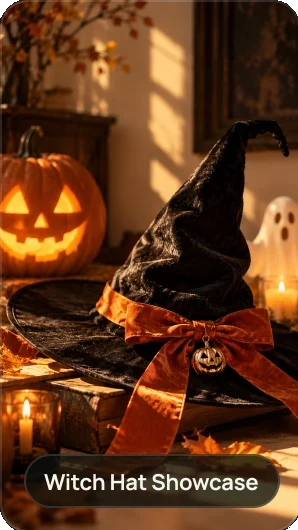
Start with the party look the hat completes. Follow with a closer view of the brim, trim and shape. Direct shoppers to the correct style and sizing information so the mood leads to a specific choice.
Décor: prepare the gathering

Show where the ghost ornament belongs: an entryway, shelf or party table. Follow with a view that helps explain its dimensions and finish. If you sell a set, make its contents clear rather than implying every prop is included.
Home: set an autumn mood
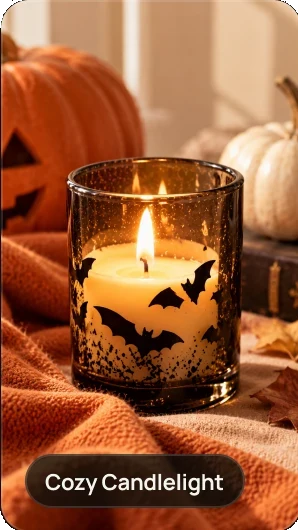
A candle can serve a Halloween gathering and a quieter autumn evening. Make a seasonal scene, then focus another creative on its glass design and actual product details. Keep candle-use guidance consistent with your instructions.
Accessories: finish the outfit

Introduce the skull ring as a finishing detail for a gothic outfit. Use a separate close-up for its design, material and fit information. After Halloween, a new styling context may keep an everyday accessory relevant.
Illustrative creative examples from Snaptale’s design materials. These images show creative directions, rather than playable video clips.
PRODUCT REFERENCES → SEASONAL DIRECTION
Start with the product. Add your Halloween idea.
Review product topics in Snaptale's monthly Planning, then adapt the concepts you choose. Give each video a seasonal setting and a clear product message.

These are examples of creative direction you can supply. A hat can be introduced through a party look; a candle can be placed in an autumn setting. Choose a suitable Recipe or Custom concept, check its required inputs and review how the result represents your product.
Snaptale's general monthly Planning proposes topics across products, with a goal and a suggested execution for each idea. Review the mix, edit a topic or add your own concept. Open the ideas you choose and generate each video in its project.
You provide the Halloween direction and confirmed product facts. Check the product details and final message before exporting each video for your campaign.
GIVE THE OFFER A PURPOSE
A seasonal reason to buy can come before a discount.
Start with the decision you want to help: finish an outfit, put together a party setup or choose a product before its last order date. Add an incentive when it supports that goal.
Complete a useful set
Goal: help shoppers buy related items together
Pair products that belong to one occasion, such as a hat and matching accessory. Show what each item contributes, everything included and any confirmed bundle saving.
Judge whether the additional basket value covers the incentive and order costs.
Remove an ordering hesitation
Goal: make the next purchase easier
Clear fit, contents or fulfillment information may answer the real hesitation. If you offer a selected-product discount or shipping incentive, explain eligibility and terms alongside the product.
Compare additional orders and their contribution with the cost of the offer.
Move the right stock after the event
Goal: release cash from short-window inventory
Scope clearance to the products that lose relevance after Halloween. Keep everyday accessories and autumn home items on their own product story when they still have a useful role.
Review sell-through and recovered contribution against the cost of carrying the stock.
There is no universal Halloween discount rate. Choose the eligible items, incentive and end date using your inventory and order economics. Shopify's Halloween guide includes themed bundles and post-season markdowns; the offer still needs to fit the merchant's goal.
Keep urgency tied to something real: stock you have, an offer you run or an ordering window you can support. Etsy's shipping checklist explains why processing time and shipping details both matter for delivery estimates. Confirm those facts before putting them in a creative.
From your product range to Halloween video content.
- 01
Choose the product and the occasion
Review the products and references in your library. Choose what belongs in a costume, a party setup or an autumn home, then check the details the video needs to preserve. Keep the actual item, variants and included accessories clear.

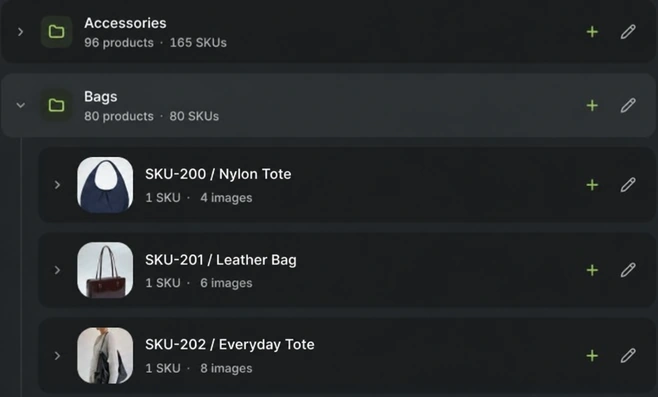
Product UI · Example product library - 02
Brief the next buying decision
Review or edit a concept's product, topic and format in Planning. Add your own Halloween direction: the occasion, the buyer's question and the next step. In its video project, review the script and scenes, including any offer or delivery details you supply.
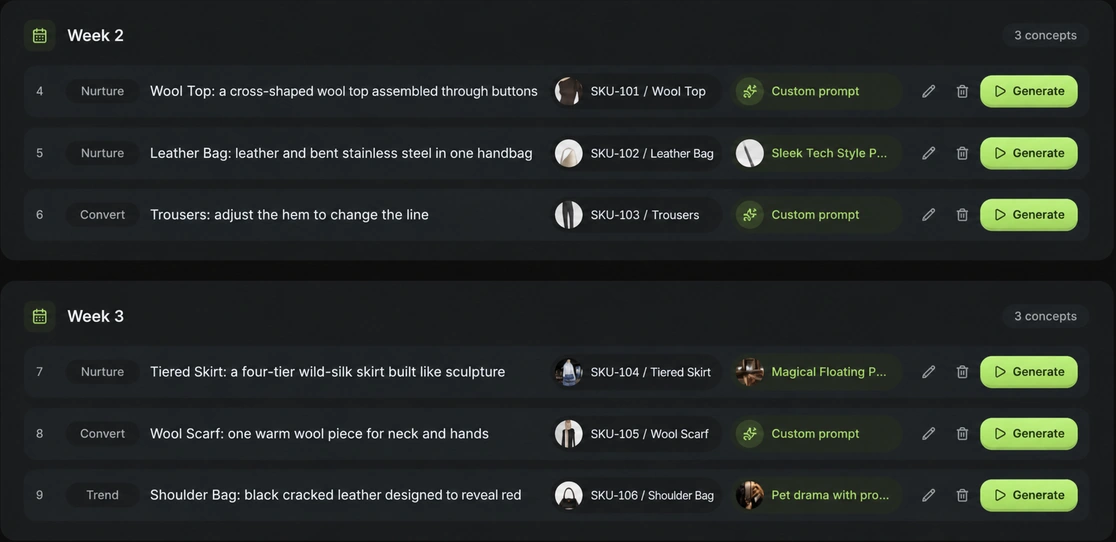
Product UI · General concept planning example - 03
Generate and review
Generate the selected video and review the product, scenes, sound and message together. Confirm any promotion or deadline before exporting. Return to the plan to make the next selected concept, building a set of videos with different marketing jobs.
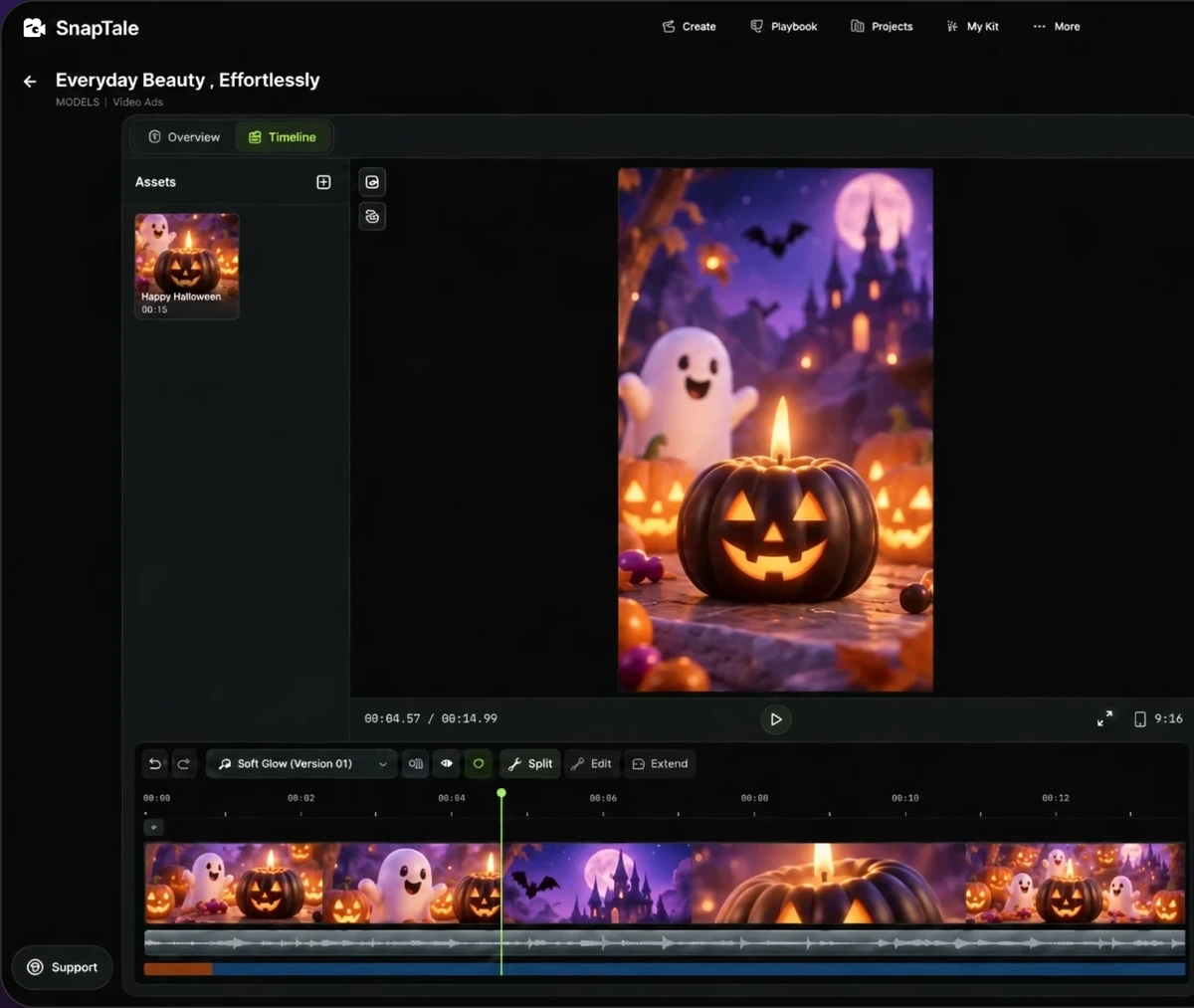
Design-provided preview · Halloween video editor
TURN THE BRIEFS INTO A WORKABLE PLAN
Keep the range in view as you make the next video.
Prepare content across products and campaign moments with Snaptale's general monthly Planning. Review the mix, adapt the selected ideas to Halloween and work through the videos you choose.
Same product. A different buying question.
For the ghost ornament, prepare a styled introduction for discovery, a product-detail concept for consideration and an eligible-order reminder before the cutoff. The candle may also need an autumn-use concept that remains relevant after October 31.
Review the proposed products, topics, formats and weekly mix. Swap a product, edit an idea or add your own. Check which roles are already covered before choosing the next concept to generate.
Planning uses the available store and product information. You bring the Halloween calendar, offers and creative direction. Review each selected video's script, visuals and final output, then export it for the channels you manage.
Use an inspiration video for social discovery, a detail explanation where shoppers evaluate the product, and a current offer or cutoff reminder in the relevant campaign. Prepare each piece for its intended placement and check that the linked product page carries the same facts. Your store and campaign tools handle publication, audiences and performance measurement.
Explore the product video workflow or see how general Planning helps organise content across your range.
Frequently asked questions
Does my product need to be a Halloween product?
No. An accessory can finish a party look, a home product can help set up a gathering, and an autumn item can suit a cozy evening. Choose a real connection to the occasion, then show the product's useful role and details.
Do I need to run a discount?
No. Helping someone complete an outfit or understand a decoration can give the content a clear job. If you run an offer, choose its purpose first: a relevant bundle to grow the basket, a targeted incentive to encourage an order, or selected-stock clearance after the event. You set the offer and check its economics.
When should I start preparing Halloween content?
Work back from when customers need the product, including parties before October 31. The timeline on this page is an illustrative sequence. Start earlier for made-to-order items or longer delivery routes, and leave time to prepare discovery content before the final ordering window.
Why is the delivery cutoff different from Halloween itself?
A product needs time to be prepared, dispatched and delivered before the customer's event. Set cutoffs by product, destination and service using your actual fulfillment information. Once a route is no longer eligible, replace its arrival message; only promote pickup or other last-minute options if your business really offers them.
Can I create a batch of Halloween videos across several products?
Use the product library and general monthly Planning to organise a set of product concepts, then adapt selected topics to your Halloween brief. Give the same item different messages, such as a styled introduction, a detail explanation and an ordering reminder. Open and generate the chosen concepts individually, review each result and export the pieces you need.
How should I reuse a product across multiple videos?
Keep its references and confirmed facts consistent, then change the question the video answers. A hat can have a styled introduction, a detail explanation and an ordering reminder. Give each concept its own opening, message and next step, and replace any offer or delivery claim when it expires.
What product references do I need for a Halloween video?
Product photos can be a starting point. Check the inputs for the recipe or format you choose, as some formats require additional references or other details.
Does Planning automatically build a Halloween campaign?
Planning builds a general monthly product video plan from available store information. You supply the Halloween calendar, seasonal direction, confirmed offers and fulfillment details. Review and adapt its ideas, then manage publication and campaign audiences in your existing tools.
What should I do with the content after October 31?
Separate products with a short Halloween selling window from items that still have an everyday or autumn use. Prepare storage or care content, a relevant new setting, or a selected-stock clearance message when appropriate. Replace expired promotions and event-arrival claims before reusing a creative.
Are the Halloween examples playable videos?
The recipe shelf at the top shows short preview clips from published Snaptale Recipes. Open a recipe to review its inputs and make your own version. The product pictures elsewhere on this page are static creative illustrations, and the editor image is a design-provided preview. These examples are not verified customer results.
Prepare the next video your Halloween campaign needs.
Choose the product, the occasion and the buying question. Plan your content, then make the videos you choose.
Start planningKeep reading
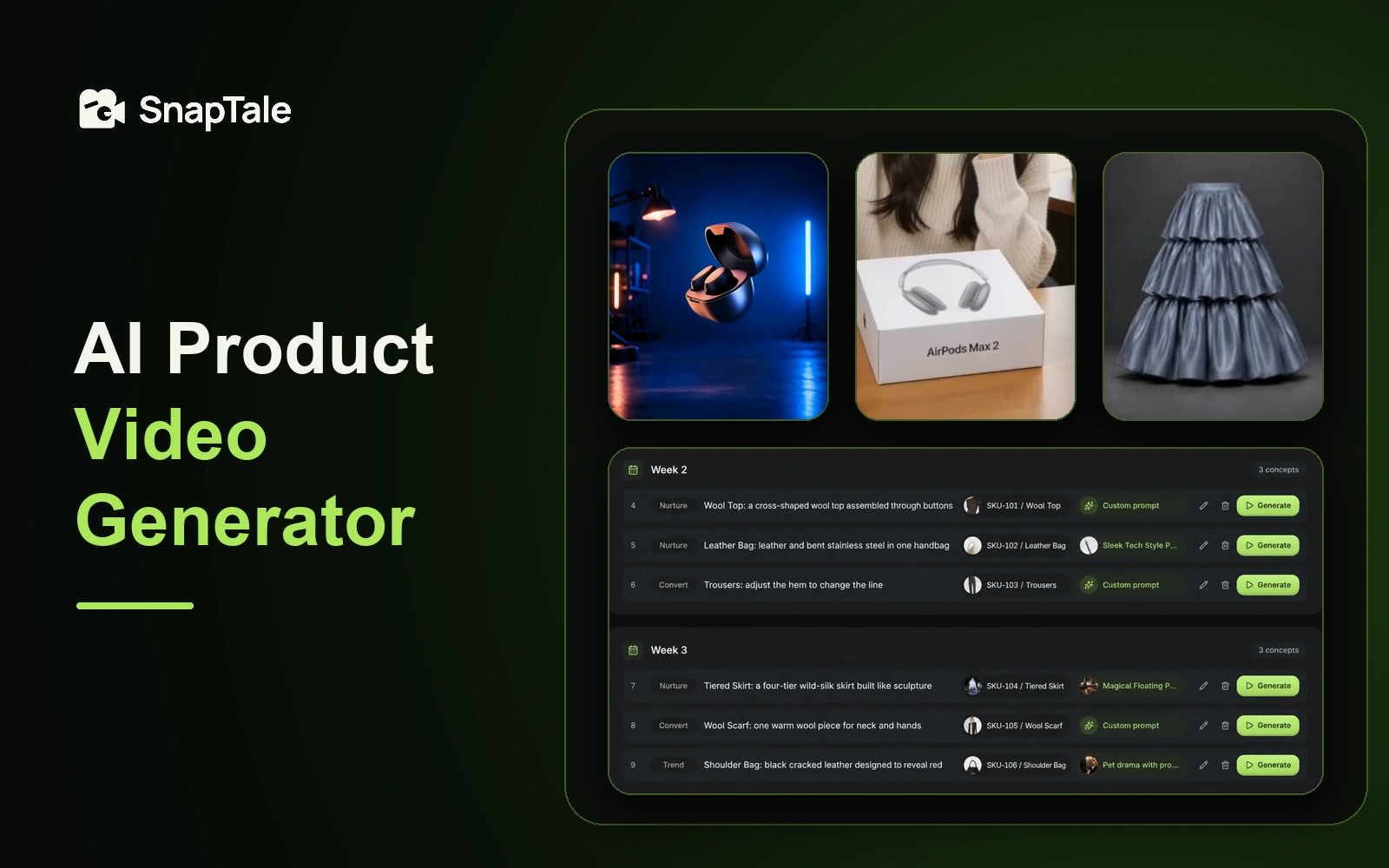
Create product videos from your store link.
Paste your store link. Snaptale reads your catalogue, decides which products need a video this month and why, then makes each one.

Plan a month of product videos from your store link.
Build a monthly video content plan from your store link. Review topics, products and weekly goals, adjust the mix, then make selected videos.
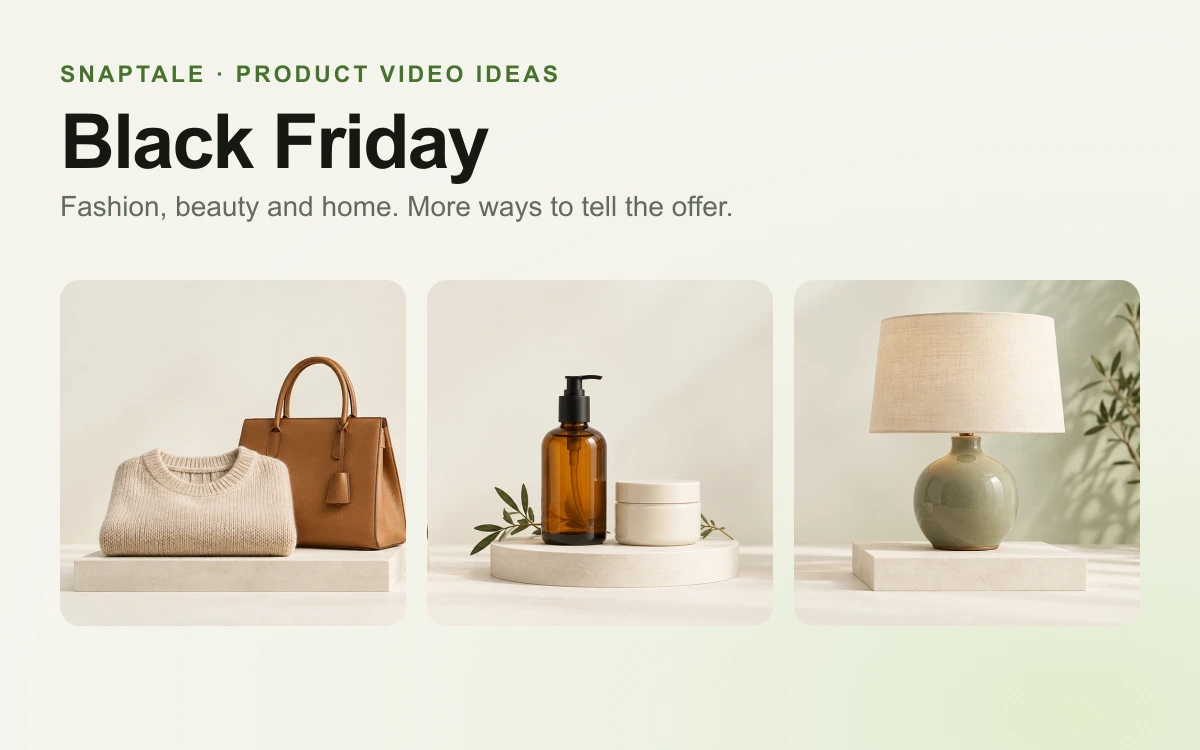
Make Black Friday videos for every stage of your sale.
Create Black Friday product videos for early access, launch and final reminders. Plan your content and make the videos you choose with Snaptale.